Nested Action Usage
Try to avoid using nested actions whenever possible, because they do not retain the history of the execution.
Playwright example:
1) Open Playwright Connector
2) Navigate to Nested Input Section and click change nested input button
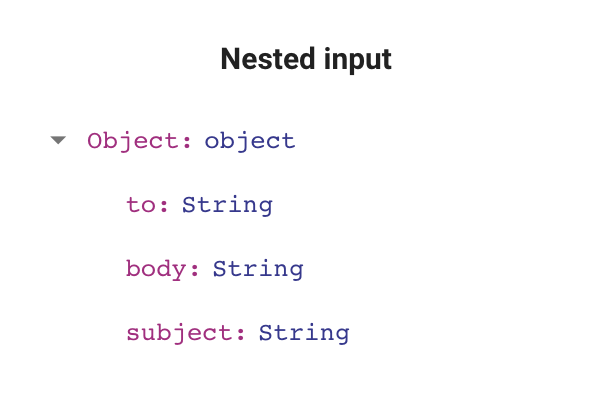
3) In the opened windows write an example of input that you will send to nested connectors. For example:
(
    () => {
        return {
            to: 'anton@shifthealth.io',
            body: 'Hello from nested connector',
            subject: 'Nested Test',
        }
    }
)()
4) Click Test Script
5) You should see your nested input to change to
6) Click on + button and choose required nested action
7) Open nested action settings and configure it
8) In your Playwright connector include nestedActions parametr as third function param :
module.exports = async function (page, context, nestedActions) {
  ...
}
9) Call required nested action with serialNumber and input that should follow nested input structure. Serial number is the number of action below the target action started from 0
 const response = await nestedActions.execute({
        serialNumber: 0,
        input: {
            to: 'anton@shifthealth.io',
            body: 'Hello from nested connector',
            subject: 'Nested Test',
        }
    })
10) Response has next structure:
 {
  status: 'SUCCESS' | 'FAILURE',
  output: {...} //<--- if status == SUCCESS
  message: "..." // <--- if status == FAILURE
 }