auth
Use case
sometimes it is necessary to have access to the site after authorization in different connectors. In that case you can use one connector as a connector for authorization and save the state of cookies and local storage after authorization and pass them to other connectors using the authJson field
You need to do 3 steps: 1) Create playwright connector with auth code, after auth save your state, e.g:
module.exports = async function (page, context) {
    await page.goto('https://dev.shifthealth.io/console/login')
    await page.getByLabel('E-mail').fill('login');
    await page.getByLabel('Password').fill('password');
    await page.locator('//*[@id="app"]/div/div/div/div/div/div[2]/span/form/div[3]/div/button').click();
    //wait until receive tokens
    await page.waitForLoadState('networkidle')
    //!!!!!IMPORTANT!!!
    const authJson = await page.context().storageState()
    return {
        test: `{{Object.test}}`,
        authJson
    }
}
In this example the most important line next one:
const authJson = await page.context().storageState()
You need to provide this json in subsequent connectors
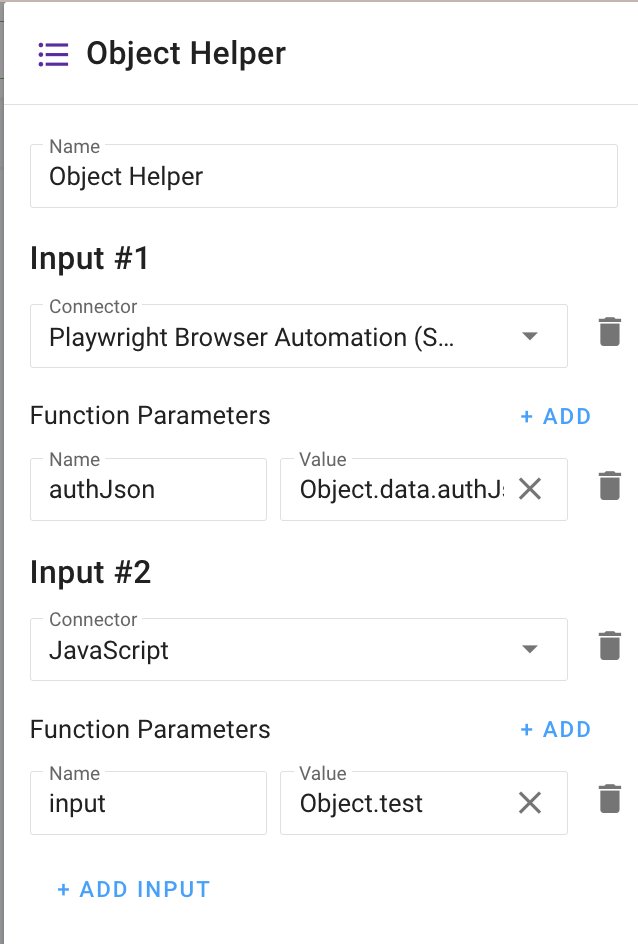
2) OPTIONAL If you need to have input from one connector and auth json from another use Object Helper:
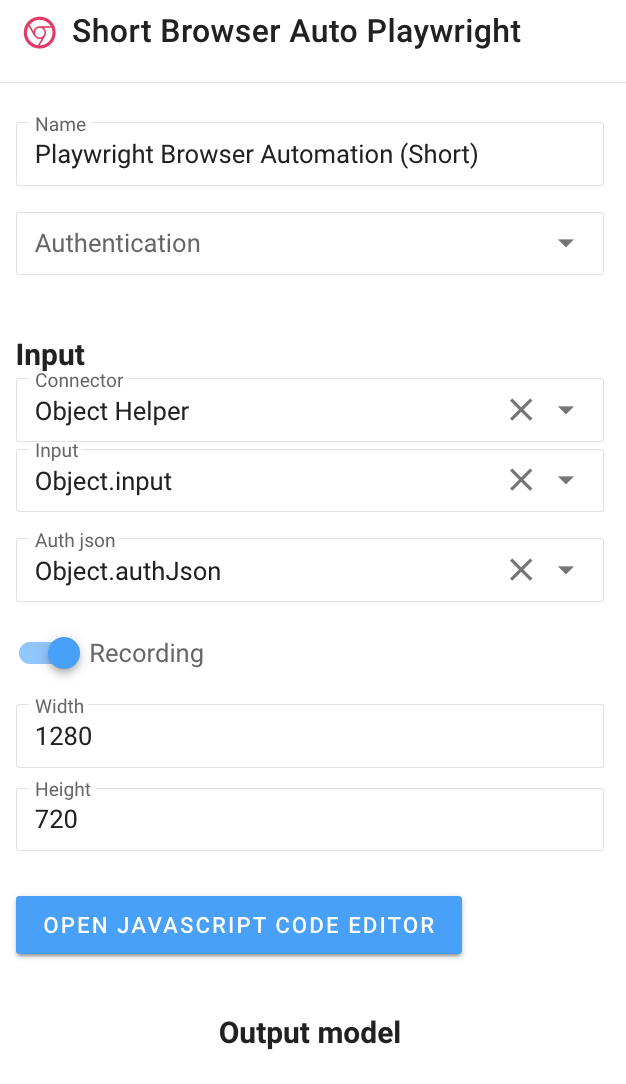
3) In playwright connector select you auth json in AuthJson field